Podcast advertising is amongst the rapidly growing channels in digital marketing today. However, before we delve into understanding how podcast advertising is able to engage millions of listeners on platforms like Spotify, Apple Podcasts, and many others, you should have an idea of the system that powers everything which is the podcast RSS feed.
If you are a performance marketer who is searching for new channels of acquiring users or a brand who needs to understand how the world of podcasts really works, you are at the right place. Let us get into the in-depth details about a podcast RSS feed and all that you need to know about before launching your next podcast advertising campaign.
How Do You Define a Podcast RSS Feed?
We all have our favorite comic book series. Rather than informing 10 shops separately that the next part is released, you update one master list and each store knows about it by itself, adds the new part and shows it to the customers.
RSS is the same thing for podcasts, but for a more convenient experience. The abbreviation means Really Simple Syndication and represents an internet file containing everything there is about the show – its name, episodes’ names, description, cover, and audio files. Whenever a podcaster posts something new to his show, this file updates itself automatically.
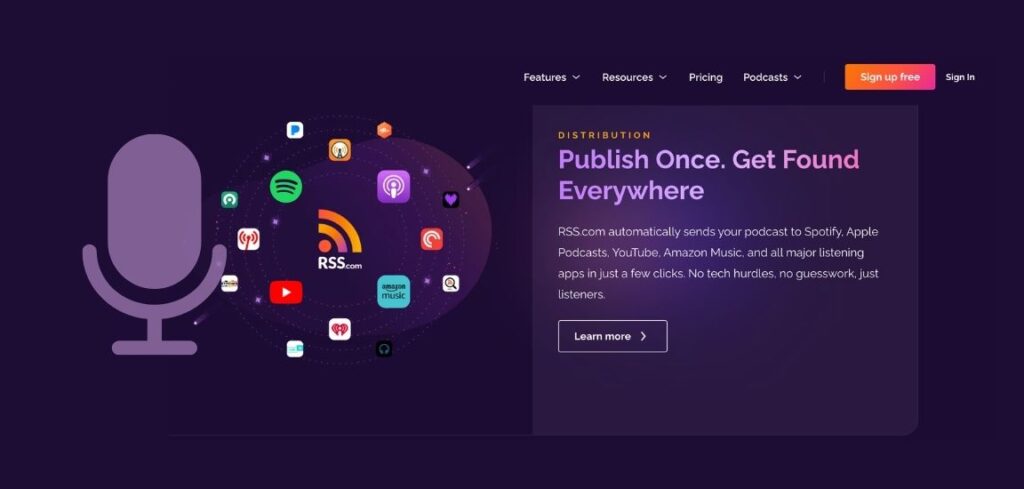
All music streaming services use this information, Spotify, Apple Podcasts, Amazon Music and others. All of them read this file and display this information to users automatically, without the podcaster making any effort.
So, rather than a podcaster logging in to 20 different sites to inform people about his new releases, he makes one update and RSS feeds take care of the rest.
One update and you are done. Just like group messaging in the real world. Post once, and everybody sees it.
What All is Included in an Podcast RSS Feed?
The feed essentially stores two types of information:
Show-level data:
- Podcast title
- Description and categories
- Cover artwork
- Author name
- Language and country
- Explicit content rating
Episode-level data (for every episode):
- Episode title
- Publication date
- Show notes / description
- Direct audio file link (the .mp3 or .m4a file)
- Episode duration
- Season and episode number
How does a Podcast RSS Feed Work?
Every time a podcast gets published, the RSS feed gets to work in the following manner:
- The host, which can be – Buzzsprout, RSS.com, Podbean, Spreaker, etc., receives an episode uploaded by the podcaster.
- The host adds the audio file, name, description, and other metadata for the new episode to the RSS feed.
- Podcast directories read the feed. Podcast directories like Apple Podcasts and Spotify use RSS feeds for-fetching the latest content and delivering it to subscribers. They fetch the feed data using RSS reader-and publish episodes directly to users’ apps.
- Subscribers get the new episode in their app automatically.
The automated process described above makes podcasting scalable.
What is the connection between RSS Feeds and Podcast Ads?
Here’s the part that connects directly to your ad dollars:
The audience for podcast ads is very distributed
As such, since RSS feeds distribute content through tens of applications, it may be found on Apple Podcasts, Spotify, Overcast, Pocket Casts, and Amazon Music at once. In order to advertise to the listeners, advertisers will require a solution that can access media across the ecosystem, rather than from one or two specific applications.
DAI (Dynamic Ad Insertion) works through the RSS Layer
So Dynamic Ad Insertion basically attaches tailored ads to digital audio or video. The best part is that these are customized based on the audience’s real-time location, device, and interests.
While the RSS feed delivers the content to the listener – the actual ad swapping happens via server-side stitching the moment a user hits play. Programmers can then track their performance in real-time, rotate creatives on the spot, and even target certain groups. Programmatic advertising for podcasts simply cannot exist without such a dynamic system.
Show-level metadata through RSS feeds make targeting possible.
Matching your ads to the right audience and context is extremely important. What is the role of an RSS feed here? It matches the keywords, categories and descriptions in an RSS feed which allow advertisers to understand what a podcast is about. When a platform tells you you’re reaching “business and entrepreneurship” listeners, that classification flows directly from the RSS feed data.
Is RSS Feed Management Required for Advertisers?

No. You never have to set up or maintain an RSS feed as an advertisement. Through their hosting platform, the podcaster is accountable for that.
What you do need is a podcast platform that has already done the work of aggregating inventory from across the RSS ecosystem, so you can buy targeted ad placements at scale without handling any of the technical infrastructure.
This is exactly the problem that platforms like EASI Ads solve. Using a self-service dashboard, you can launch campaigns on hundreds of premium audio shows within minutes at a cost starting from $500 without having to contact each program separately, bargain over pricing, or track the performance manually. Distribution is handled through the RSS network. You are responsible for the results, the creative, and the targeting.
RSS Feed Mistakes to Stay Away From
For podcasters that control their streams, the following mistakes have to be avoided:
Using the blog RSS feed of your website for podcasting
Podcasting will work if your website already has an RSS feed. Your blog posts alone would be visible in your RSS feed.
You need a dedicated podcast RSS feed in order to submit your program to popular directories – Spotify, Apple Podcasts, YouTube, Amazon Music, and others.
Switching hosting platforms without redirecting your feed
If you move to a new hosting provider, you need to set up an RSS redirect so directories follow your content to the new location. Most quality hosting platforms make this easy.
Letting metadata go stale
The categories, description, and artwork in your RSS feed directly affect how directories classify and surface your show. Keeping this updated matters for discoverability.
How to Get Your Podcast Listed Using an RSS Feed?
The process is pretty straightforward and does not include something very technical. Let’s see what goes around in this process:
- Firstly, you need to choose a podcast hosting platform. Look for platforms like RSS or Buzzsprout. These will auto generate your RSS Feed when you set up your account.
- Now add all your show details. This includes the title, description, cover art and categories.
- You can publish your first episode now and by doing so your RSS feed URL is activated.
- Submit your RSS Feed URL to Apple podcast, Amazon Music and all other podcast directories. All of these have a submission page where you can paste your link.
- You are done. Now you can keep publishing. Everytime you upload a new episode it automatically appears everywhere once the approval process is complete.
FAQs About Podcast RSS Feed
Can I submit the same RSS feed to multiple directories?
Yes and that’s exactly the point. One RSS feed gets submitted to – Apple Podcasts, Spotify, Amazon Music, iHeartRadio, and dozens of other platforms. Each directory reads from the same source, which is why your episodes appear everywhere simultaneously.
If I consider changing my hosting platforms, what will happen to my RSS feed?
Your old feed URL stays the same as long as your original host supports an RSS redirect. A proper redirect tells all directories to follow your feed to the new hosting location without breaking your subscriptions.
What is the relevance of having an RSS feed while creating a podcast ad?
There is a lot of relevance. Dynamic ad insertion , the technology behind programmatic podcast advertising that operates through the RSS layer. Ads are inserted into audio files served through RSS feeds, which is what enables real-time targeting, audience segmentation, and performance measurement at scale.
As an advertiser, do I need to manage any RSS feeds?
No. As an advertiser buying podcast ad placements through a self-serve platform, the RSS infrastructure is entirely handled on the supply side. You set your budget, targeting, and creative. The platform handles everything else.